A script
Write a Python script for the sandbox, test it, and use it as a playbook node, a War Room command and a button on the incident page.
The script. UrlRisk takes a text (or a list of texts), finds the web addresses in it, and scores each on a few signs of a lure: an IP address as host, punycode, a suspicious top-level domain, a user name before the host, a very long address. It returns every address with its score, writes them to the incident's context, and lists the risky ones.
You need
The Playbooks role to write it. Analyst to run it on an incident (node, command, button). The sandbox must be configured (SANDBOX_URL): Automations › Scripts says so when it is not.
What a script is
| Gets | args: a dictionary with the arguments you declare, and nothing else. No secret, no database, no file of Nik, no incident unless a node passes its fields |
| Returns | Something JSON can hold: a dict whose keys are the outputs you declare. 1 MB at most |
| Prints | Kept as the step's log |
| May use | The standard library of Python 3.12. urllib.parse is allowed (taking an address apart is computing) |
| May not | Reach the network or start processes: socket, ssl, http, urllib (but urllib.parse), subprocess, asyncio, ctypes, shutil, tempfile, pathlib, glob and others are refused on import; open() and input() are gone. Its container has no route outside anyway |
| Limits | 10 seconds, 256 MB of memory, 16 open files |
A script that needs data from outside gets it from a node before it (a connector command, a look-up), as an argument.
1. Create it
- Open Automations › Scripts, press New script.
- Name:
UrlRisk(a capital letter, then letters and digits; it cannot be changed). Description:Finds the web addresses in a text and scores each on signs of a lure.Press Create.
2. Write the code
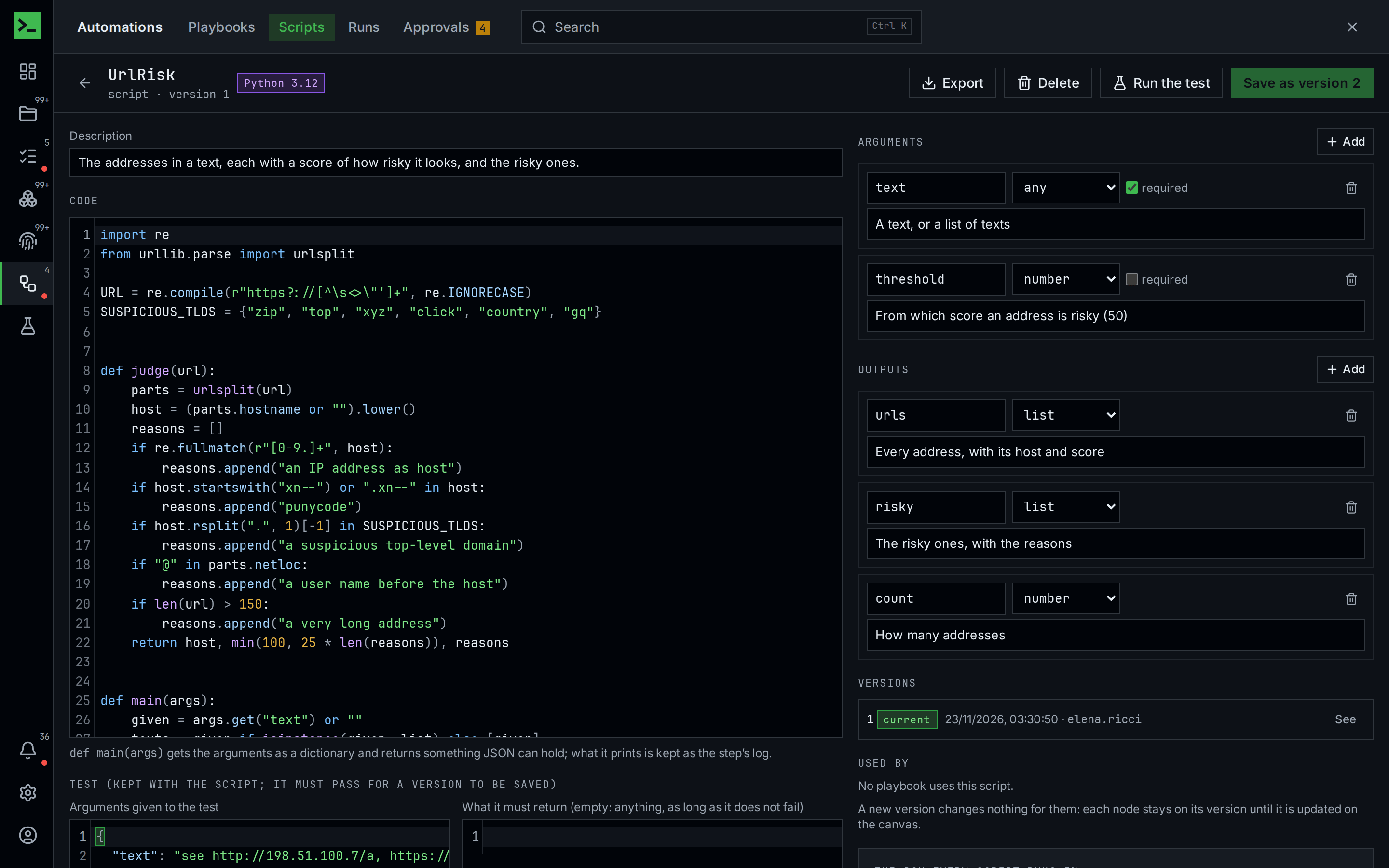
Paste this in Code:
import re
from urllib.parse import urlsplit

URL = re.compile(r"https?://[^\s<>\"']+", re.IGNORECASE)
SUSPICIOUS_TLDS = {"zip", "top", "xyz", "click", "country", "gq"}


def judge(url):
    parts = urlsplit(url)
    host = (parts.hostname or "").lower()
    reasons = []
    if re.fullmatch(r"[0-9.]+", host):
        reasons.append("an IP address as host")
    if host.startswith("xn--") or ".xn--" in host:
        reasons.append("punycode")
    if host.rsplit(".", 1)[-1] in SUSPICIOUS_TLDS:
        reasons.append("a suspicious top-level domain")
    if "@" in parts.netloc:
        reasons.append("a user name before the host")
    if len(url) > 150:
        reasons.append("a very long address")
    return host, min(100, 25 * len(reasons)), reasons


def main(args):
    given = args.get("text") or ""
    texts = given if isinstance(given, list) else [given]
    found = []
    for text in texts:
        for url in URL.findall(str(text)):
            url = url.rstrip(".,;)")
            if url not in found:
                found.append(url)
    urls, risky = [], []
    for url in found:
        host, points, reasons = judge(url)
        urls.append({"Data": url, "Host": host, "Score": points})
        if points >= int(args.get("threshold") or 50):
            risky.append({"url": url, "score": points, "reasons": reasons})
    print(f"{len(urls)} addresses, {len(risky)} risky")
    return {"urls": urls, "risky": risky, "count": len(urls)}
urls uses the keys of the URL entity of the context (Data, Host, Score), so it can be written there as it is.
3. Declare arguments and outputs
Arguments:
| Name | Type | Required | Description |
|---|---|---|---|
text |
any | yes | A text, or a list of texts |
threshold |
number | no | The score from which an address is risky (50) |
Outputs:
| Name | Type | Description |
|---|---|---|
urls |
list | Every address: Data, Host, Score |
risky |
list | The risky ones, with their reasons |
count |
number | How many addresses |
4. Test it
-
In Arguments given to the test, write:
-
In What it must return, write:
{ "urls": [ {"Data": "http://bank.example@198.51.100.7/inv", "Host": "198.51.100.7", "Score": 50}, {"Data": "https://login.example.com/a", "Host": "login.example.com", "Score": 0}, {"Data": "http://secure-update.zip/x", "Host": "secure-update.zip", "Score": 25} ], "risky": [ {"url": "http://bank.example@198.51.100.7/inv", "score": 50, "reasons": ["an IP address as host", "a user name before the host"]} ], "count": 3 } -
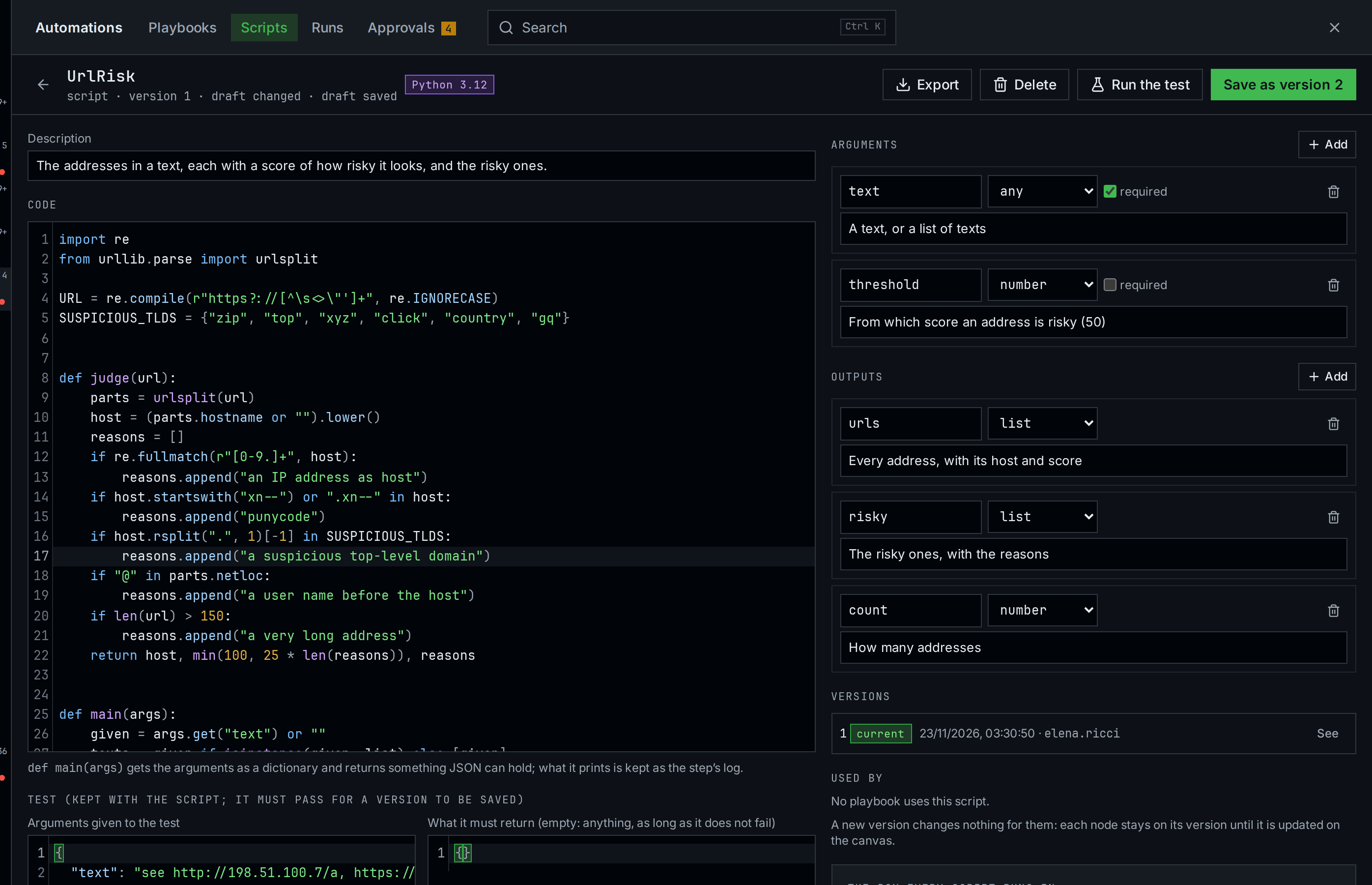
Press Run the test. The result shows what it returned and Printed:
3 addresses, 1 risky. - Press Save as version 1. The test runs again; the version is saved only when it passes.
UrlRiskis now in the library of nodes.
What a failure looks like, and what to do:
| The test says | Means |
|---|---|
Line 30: KeyError: 'text' |
The code read an argument that was not given: use args.get("text") |
Line 4: invalid syntax |
Python cannot read the code at that line |
"socket" is not available to scripts: a script computes, it does not reach out |
A refused module: get the data from a node before the script |
main(args) returned something that is not JSON: return dicts, lists, text, numbers |
A set, a date or an object was returned: convert it |
The script defines no main(args) |
The function is missing or misnamed |
The script ran, but did not return what the test expects |
Compare the result with What it must return; an empty expectation only asks that it does not fail |
5. Write to the context of the incident
To have urls kept in the incident's context (the Context tab), its output says where it goes: a context_path. The page has no field for it: set it in the file.
- Press Export on the script's page: a JSON file.
-
In
outputs, addcontext_pathtourls: -
Delete the script (or give the file another name), then Import the file on Automations › Scripts. It arrives as a draft; Run the test and Save as version.
The path is checked when the version is saved. Each item of urls is merged into context.URL, told apart by Data. Nothing is written in a dry run or on no incident. Editing the outputs on the page later keeps the path.
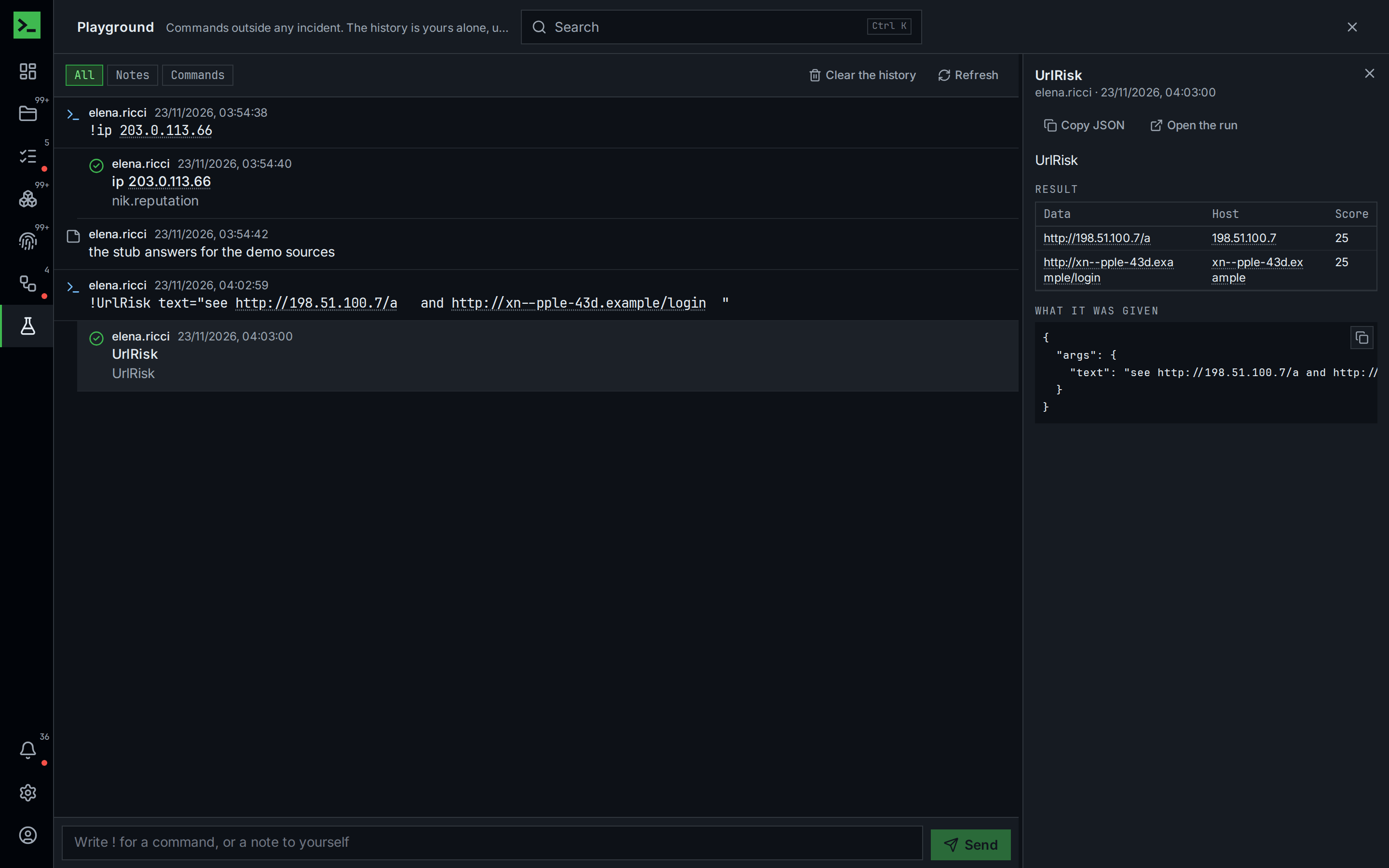
6. Try it in the Playground
- Open Playground on the rail.
-
Type:
-
Press Enter. The result is under the line; open it for what was returned and printed. In the Playground nothing is written to an incident.
7. Use it as a War Room command
In an incident's War Room:
${…} reads the incident and its context. The run is in the War Room and the audit log under your name, and urls lands in the context.
8. Use it in a playbook
- In a playbook, open Scripts in the library and add UrlRisk. Id
risk. - text:
{{ incident.details | default("") }}. Leave threshold empty. - After it, a Condition:
{{ risk.risky | length }}is more than0; on yes, Add a note withRisky: {{ risk.risky | pluck("url") | defang | join(", ") }}.
The playbook keeps version 1 of the script. When you save a version 2, the playbook is marked updates available and the node offers Update to version 2.
What leaves
What a script returns carries the classes of data of everything it was given, and results of scripts besides. A node that would send it outside needs those classes opened for the playbook (Data that may leave).
9. Put it on a button
- Platform settings › Incidents › Types, open Phishing, Pages, select the Summary.
- Add a widget: Script buttons, Add. Press its pencil.
- Add a button: text
Score the links, colours of your choice, script UrlRisk, text ={{ details }}, threshold left empty (it will be asked). - Save the type.
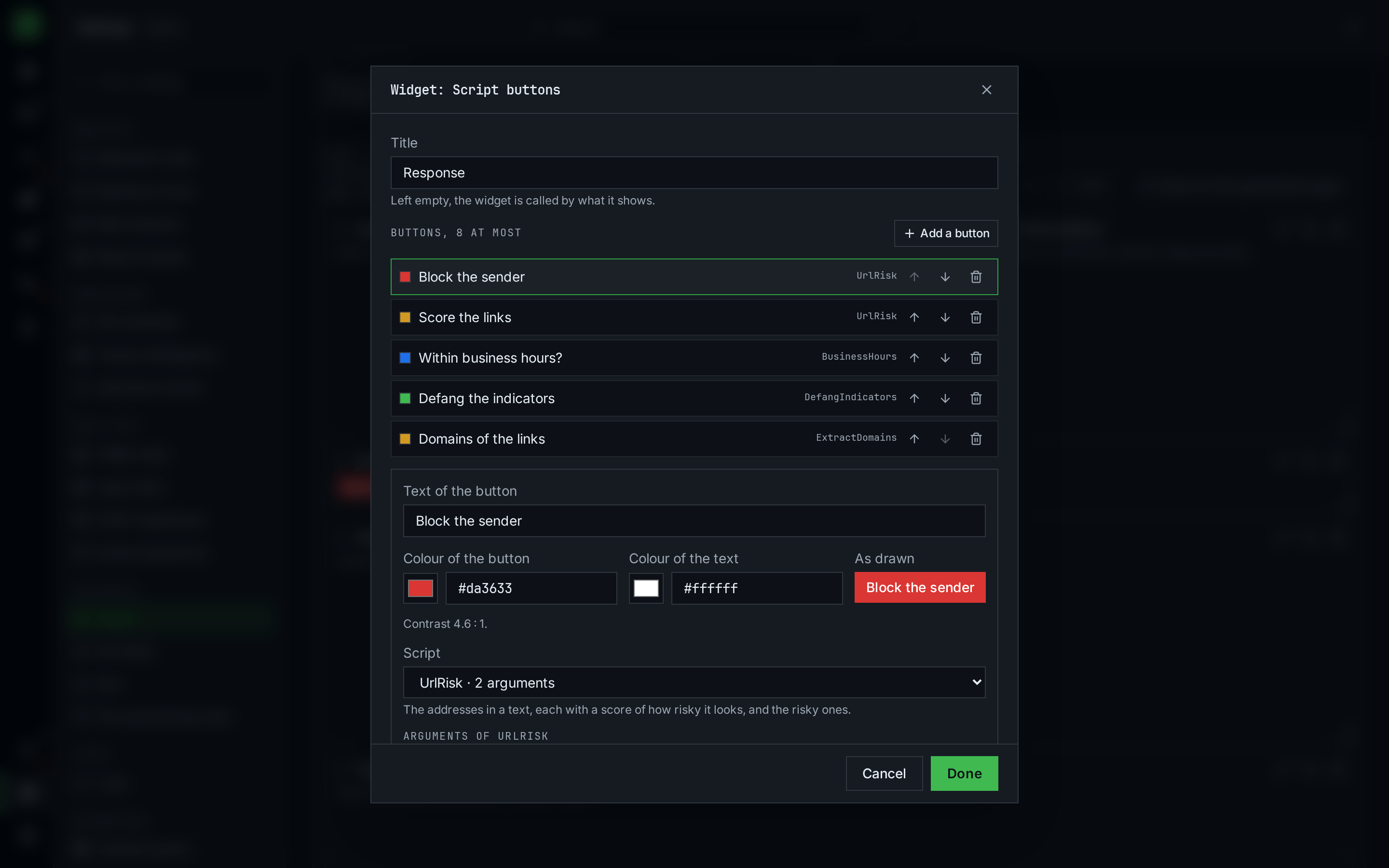
On a phishing incident, Score the links opens a dialog: text read from the field, threshold to fill. Each press is a command in the War Room. An incident with no details asks for text too.