Malware
Analyse a suspicious file without running it: its structure, strings, indicators, YARA matches, capabilities and code.
Never executed
A sample is stored on the server under its SHA-256, read-only, with no execute bit, and analysed statically. Nik has no detonation sandbox: no sample is ever run. The disassembler and capa read the file from a read-only mount, in containers with no route outside.
Add a sample
- Drop the file anywhere in the window, or on the drop zone of Evidence › Malware Analysis (100 MB at most). See Add evidence.
- Choose the incident, or Start analysis for a file with no incident.
- The sample opens. The same file in two incidents is stored and analysed once.
Attachments of an e-mail and objects of a capture come here with Send to Malware Analysis.
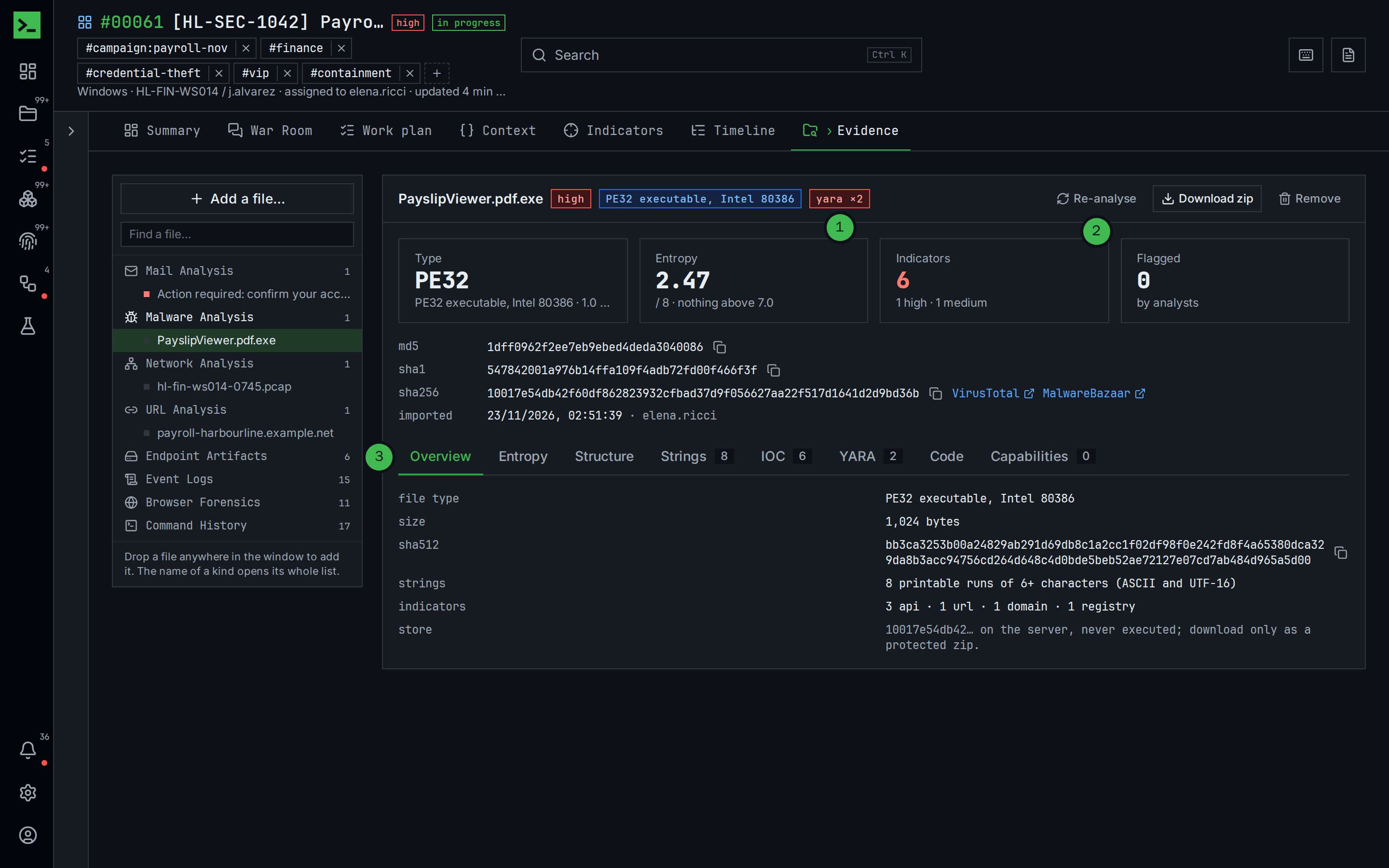
The head of the sample shows 1 its badges (type, severity, YARA matches, signed), 2 Re-analyse, Download zip and Remove, and 3 the views.
The views
| View | What it shows |
|---|---|
| Overview | Type, entropy, indicators, flagged; the MD5, SHA-1, SHA-256 and imphash; links that look the SHA-256 up on public sites (they open the site and send only the hash). |
| Entropy | Entropy of the whole file and per 64 KB block: packed or encrypted parts stand out. |
| Structure | For PE, ELF and Mach-O: header, Sections (entropy, flags; writable and executable is red), Imports by library, Exports, Resources, compile time, PDB path, signature. Malformed headers become warnings, not failures. |
| Strings | ASCII and UTF-16 strings, with the detection rules that match them. |
| IOC | Addresses, domains, URLs and hashes found in the file, with Used by: the functions that use each. |
| YARA | The YARA rules that matched, with their severity. |
| Code | Functions, call graph, control-flow graph and decompiled code. |
| Capabilities | What capa says the program can do, mapped to MITRE ATT&CK and the Malware Behavior Catalog. |
Strings
- Choose ASCII + UTF-16, ASCII only or UTF-16 only.
- The first 5,000 strings come with the analysis. Search the whole file (a substring) reads the stored file again for the rest.
- A string that matches a detection rule shows it under Detection. Right-click to copy its offset.
YARA
Every sample is scanned with the rules Nik ships and the rule sets added in Platform settings › Rule sets › YARA rules. A match with severity high counts in the sample's severity.
Code
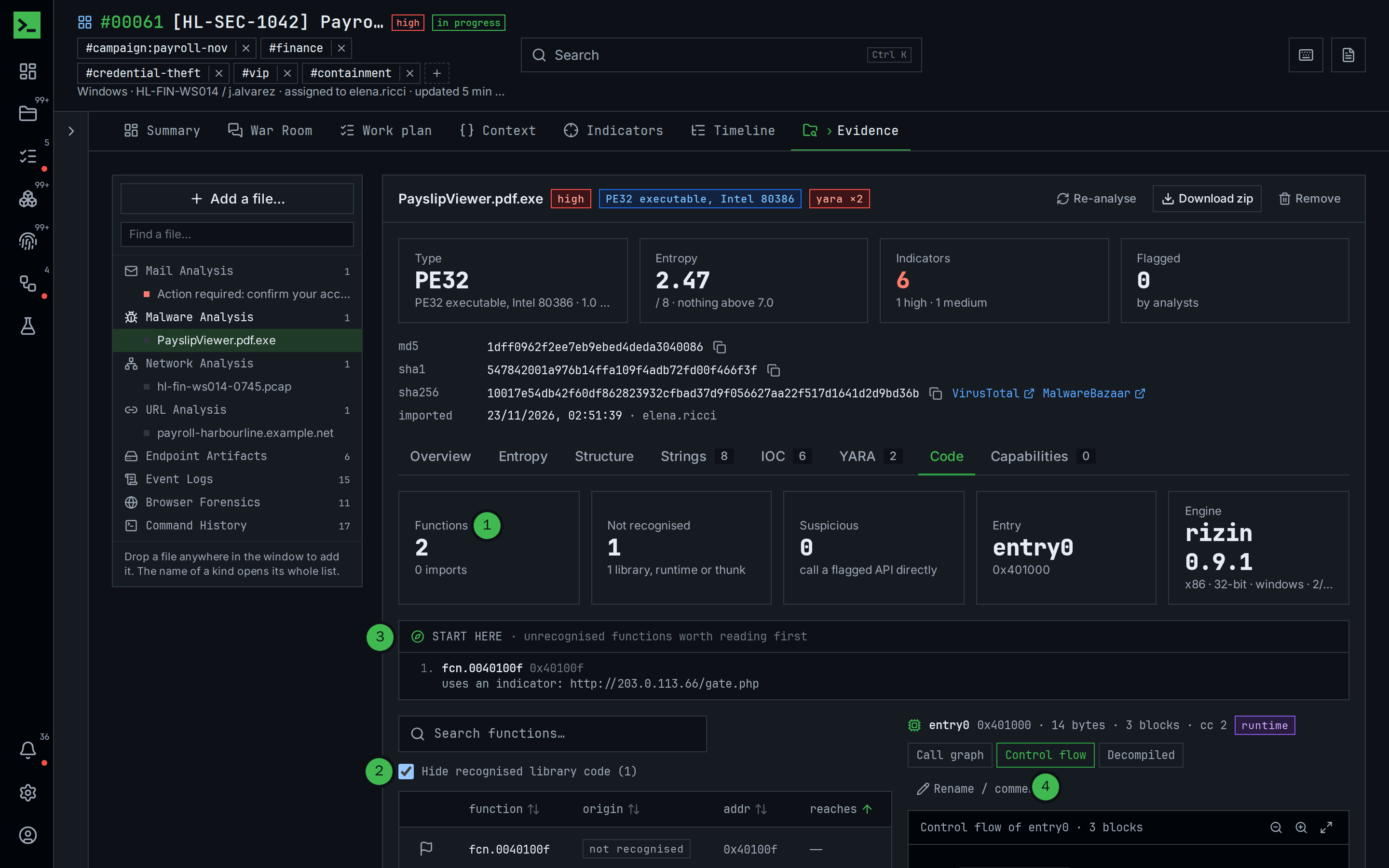
Open Code. The disassembler runs after the upload by itself; on an older sample press Disassemble.
- 1 The list of functions, each with the severity of the APIs it reaches.
- 2 Hide recognised library code (on by default) keeps only the functions Nik does not recognise: library code matched by a FLIRT signature or a Rust crate, runtime code, thunks and imports are hidden. Not recognised does not mean "the author's code".
- 3 Start here ranks the unrecognised functions most worth reading: those that call suspicious APIs, use an indicator, reach a suspicious API through their callees, or are complex.
- 4 Choose Call graph, Control flow or Decompiled for the selected function. Drag to pan, scroll to zoom; a minimap shows where you are.
- In Decompiled, a call to another function of the sample is a link; calls to suspicious APIs are red.
Rename / comment gives a function a name and a note. Everyone who opens the same sample sees them, in the list, the graphs and the code. Strings used lists the strings a function references.
The crates found in a Rust binary are listed above the table.
FLIRT signatures
Library functions are recognised with rizin's bundled signatures and the .sig / .pat files added in Platform settings › Rule sets › FLIRT signatures. Press Re-analyse on samples already disassembled to apply new ones.
Capabilities
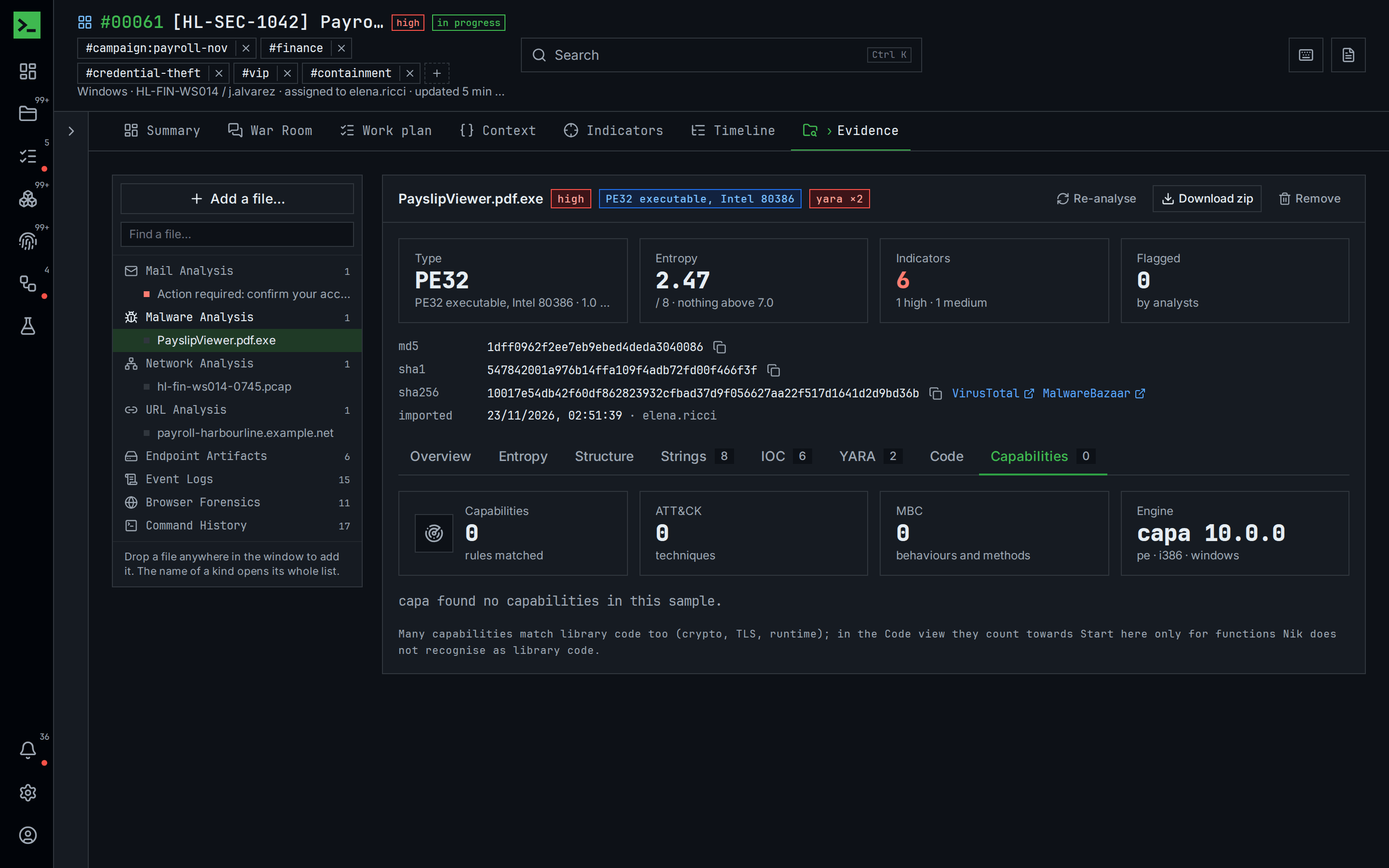
capa runs after the upload, for x86 and x64 PE and ELF files; other types say they are not supported. On a large binary it can take ten minutes or more. Run capa starts it by hand.
- Capabilities are grouped by namespace, with ATT&CK and MBC badges.
- Each links to the functions it was found in; the Code view shows the capabilities of each function.
- A match of a rule of your own carries a custom badge (Platform settings › Rule sets › capa rules).
- Capabilities do not change the sample's severity.
When a worker is not there
The Code view needs the analyzer worker (ANALYZER_URL), Capabilities the capa worker (CAPA_URL). Without one, the view says not configured and the rest of the analysis works. See Environment variables.
Rules of your own
| Section | What it holds | Who |
|---|---|---|
| YARA rules | Your YARA rule sets, compiled before they are saved. | The rules role, or an admin |
| capa rules | Your capa rules (YAML), checked by capa before they are saved. | The rules role, or an admin |
| FLIRT signatures | .sig and .pat files for library recognition. |
The rules role, or an admin |
All three are under Platform settings › Rule sets. New rules apply to samples analysed from then on: press Re-analyse on older ones.
Act on a sample
| Action | What it does |
|---|---|
| Re-analyse | Runs the current engine, YARA, the disassembler and capa again on the stored file. A sample analysed by an older engine says so, with Re-analyse now. |
| Download zip | The file in a password-protected zip. See Download safely. |
| Remove | Takes the sample out of this incident; it stays as an artifact. |
| Flag an indicator | In IOC, the flag of a row adds it to the incident's flagged events. |
On the server
Exclude the sample store from the server's antivirus: it would quarantine the evidence. Include it in backups. See Backups and restore.
The sample's indicators go to the incident's Indicators; the timeline and the report show it.
Related
- Add evidence
- E-mail and Network capture, where samples come from
- Detection and rules
- Indicators of an incident
- How malware analysis works