Connectors and mirroring
Connect Nik to another product: add an instance with its credentials, bring its alerts in as incidents, and keep an incident and a ticket in step.
A connector is one YAML file that says how to talk to a product: what an instance needs, and its commands. An instance is one system of that product, "ServiceNow, production": the connector plus an address and credentials. Every command of a connector becomes a node of the canvas and a War Room command.
You need
The Connectors role (or Admin) for Platform settings › Automation › Connectors and Credentials. Choosing a mirroring direction that sends (Out, In-out) also needs the permission to run playbooks; ticking the classes of data a mirror may send needs the permission that opens classes (Admin).
Most connectors come in content packs. The Mail listener / sender connector is part of Nik.
Add an instance
- Open Platform settings › Automation › Connectors.
- Find the connector (Find a connector or an instance) and press Add instance.
- On the Connection tab, give a Name (how nodes name it), the address and the credentials the connector asks for.
- Press Create (later changes: Save), then Test: Nik sends the connector's test request and says what came back.
- The switch beside the instance turns it on or off. Off, it runs no command, fetches nothing and is not offered for mirroring.
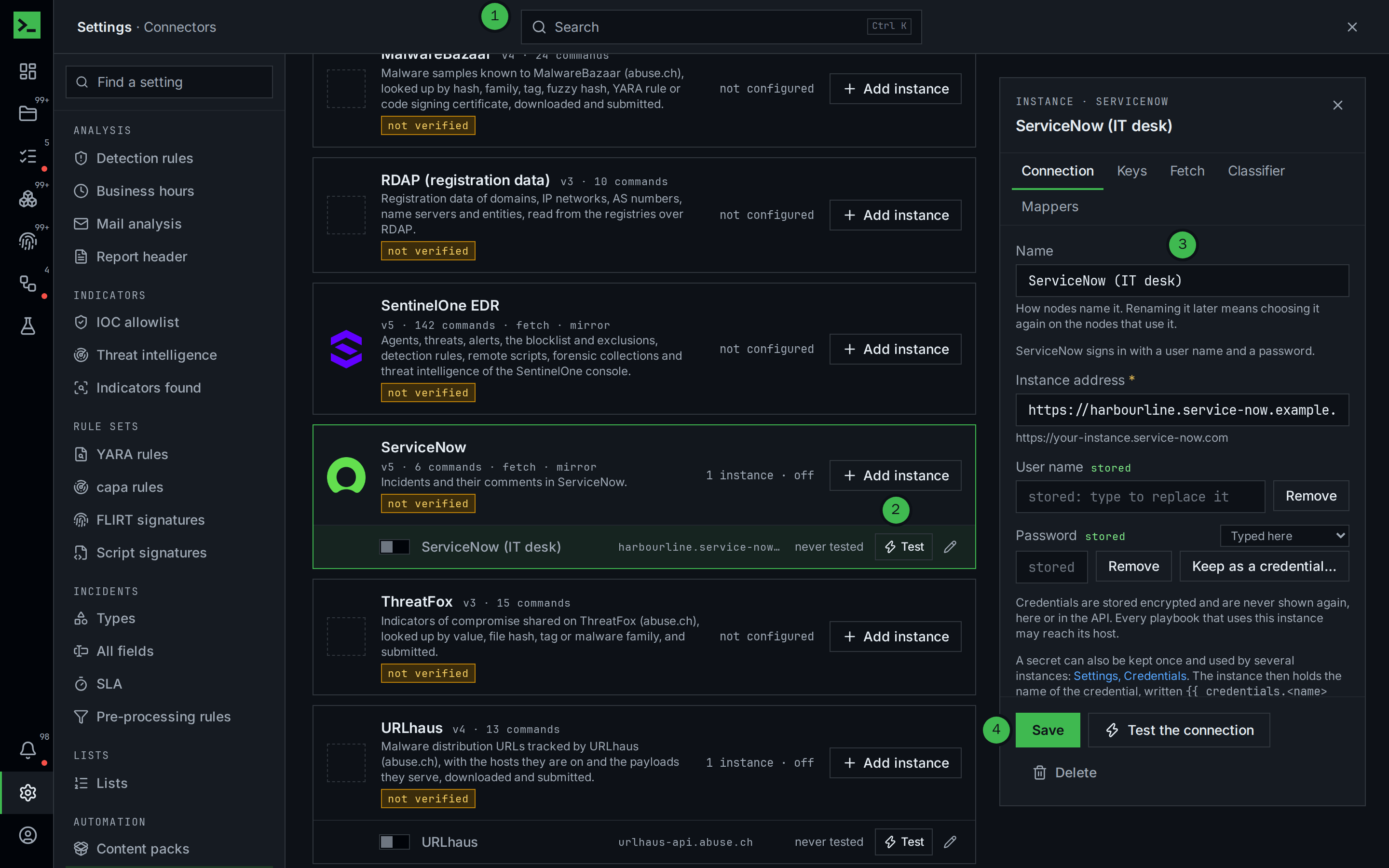
- 1 A connector and its instances; not verified means nobody ran it against a real system yet.
- 2 Add instance.
- 3 The form of the instance and its tabs: Connection, Keys, Fetch, Classifier, Mappers.
- 4 The one Save for every tab (Create for a new instance).
A connector is enabled while one of its instances is on; only then are its commands in the library. A node names its instance in its Instance field; a node that names none takes the only instance that is on when it runs. With two instances or more, a node must name one: the playbook is not saved until it does. With none yet, the node is saved and its step says, when it runs, that one is to be added.
Credentials are never shown again
They are stored encrypted, here and in the API. To change one, type it again. Every playbook that uses the instance may reach its host.
Adding a connector file of your own
Add a connector file takes a YAML file. It is checked as it is read: what is wrong is listed with its line, and nothing is installed until the file is right. A file with the id of an installed connector replaces it, and its version must be higher. Download the samples gives the shipped files to start from. A connector takes a logo (PNG or SVG, 256 KB at most). A connector a playbook uses cannot be removed. The format is in Connector and pack format.
Credentials
A credential is a secret kept once under a name, for several instances. Change it in one place; it survives an instance being made again.
- Open Platform settings › Automation › Credentials and press New credential….
- Give a Name (
vt_key: a lower-case letter, then lower-case letters, digits,_or-), a Description, and the Kind: a secret (an API key, a token) or a pair (a user name and a password; a client id and secret). - In the form of an instance, a secret field offers From a credential or Typed here. Choose the credential.
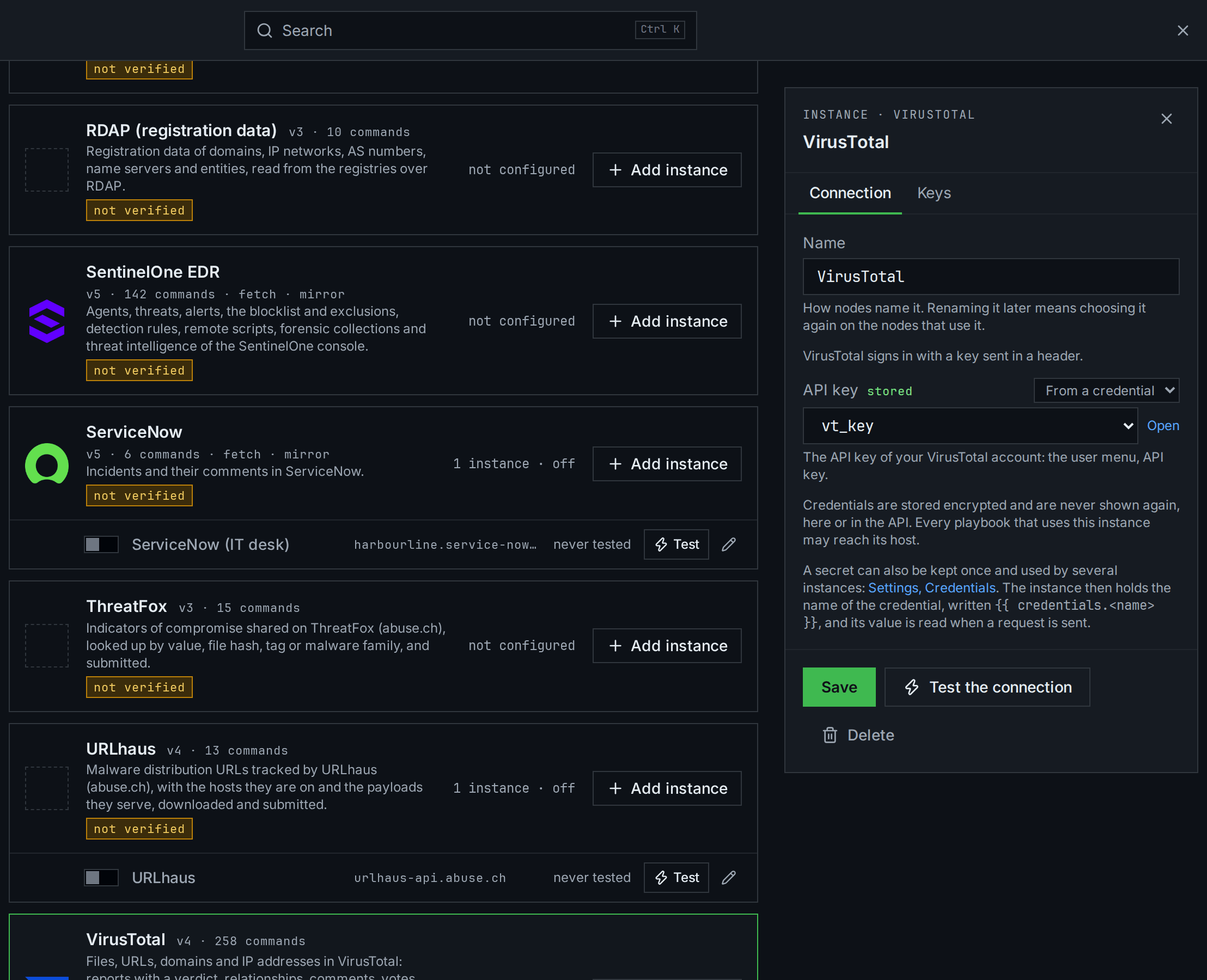
- The value is never shown. Edit… replaces it; left empty, it stays. The list says where each credential is used.
- A credential an instance names is not deleted: give those instances another one first.
- Keep as a credential, beside a secret typed into an instance, moves it to Credentials and leaves the instance naming it.
- Only an instance reads a credential. A playbook, a script, a War Room line and a connector file cannot.
- Credentials travel to another server only inside a backup, under the same
SECRET_KEY.
Several keys, limits and kept answers
The Keys tab of an instance:
- Add a key adds another set of credentials. Keys are tried in order.
- How the keys take turns: One request each, The same key until it is used up, The one with most left, or First key only, the others in reserve.
- Limits, for each key: Requests a minute, Requests a day (counted per UTC day). A key is used up at its limit, or when the vendor answers
429; the next key is tried. - When every key is used up: Wait for the first key to come back (no worker is held) or Fail the command.
- Keep an answer for this many hours: a command that changes nothing outside is answered from what was kept. Forget the kept answers asks again.
- Test every key sends the test request with each.
Fetching incidents
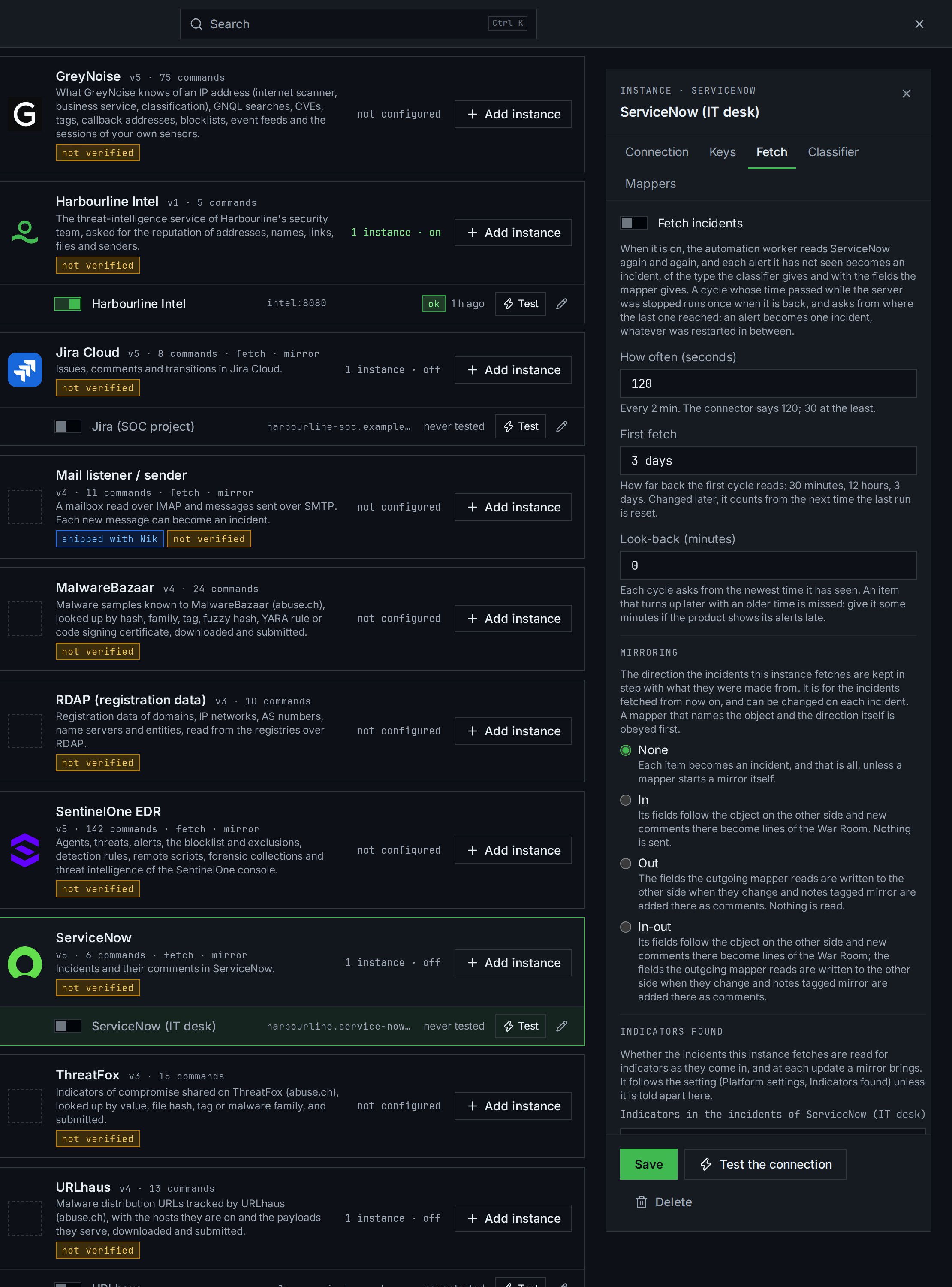
An instance whose connector has a fetch brings alerts in as incidents. Set it on the Fetch tab:
| Field | |
|---|---|
| Fetch incidents | Whether the instance fetches |
| How often (seconds) | 30 at least, once a day at most |
| First fetch | How far back the first cycle reads: 30 minutes, 12 hours, 3 days (a month at most) |
| Look-back (minutes) | How far behind the newest time seen each cycle asks again, to catch late items |
| Mirroring | The direction for the incidents it fetches (below) |
| Indicators found | Whether its incidents are read for indicators; saved at once (Threat intelligence) |
One cycle: send the request (200 items at most), skip any item already fetched (by its id), classify and map each new item, make the incident with a War Room line that holds the item as it came, publish incident.created.
How it goes, under the form, is done at once (not part of Save): Fetch now, Resume, Reset last run…, and What it fetched… (each recent item and what became of it: an incident, an incomplete one, dropped, linked, closed as a duplicate).
When something is missed
- An item the mapper cannot make whole still becomes an incident: What it fetched… lists it as incomplete, with what was wrong. Fix the mapper.
- A request that fails marks the instance failing and is tried again later, an hour apart at most.
- More than 500 incidents in an hour pauses the instance, losing nothing. Resume goes on.
- Reset last run… reads again from the first fetch. Items already imported are skipped by id, except those whose incident was deleted: they are imported again. Deleting an incident alone does not bring it back.
Before an item becomes an incident, the pre-processing rules may drop it, link it to an open incident or close it as a duplicate.
Classifiers and mappers
They live in the instance, on two wide tabs.
- Classifier: rules, each a comparison on
item(When, Compares, With) and the type it becomes (It becomes). The first that holds wins; else Otherwise, else Unclassified. - Mappers: choose Incoming or Outgoing, and the Type of incident (Every type, or one type that replaces the general mapper for it).
- Incoming: each Field of Nik gets Its value, a template over
item({{ item.priority | severity('inverse') }}). Wins over edits lets the product write over what a person set in Nik. Add a context path writes to the context (Alert(val.ID == obj.ID)). - Outgoing: each Name of the product gets a template over
incidentandcontext.
- Incoming: each Field of Nik gets Its value, a template over
- Try on the sample: paste an item, or Use the last item it fetched, and see what each field would get. Trying never writes to an incident.
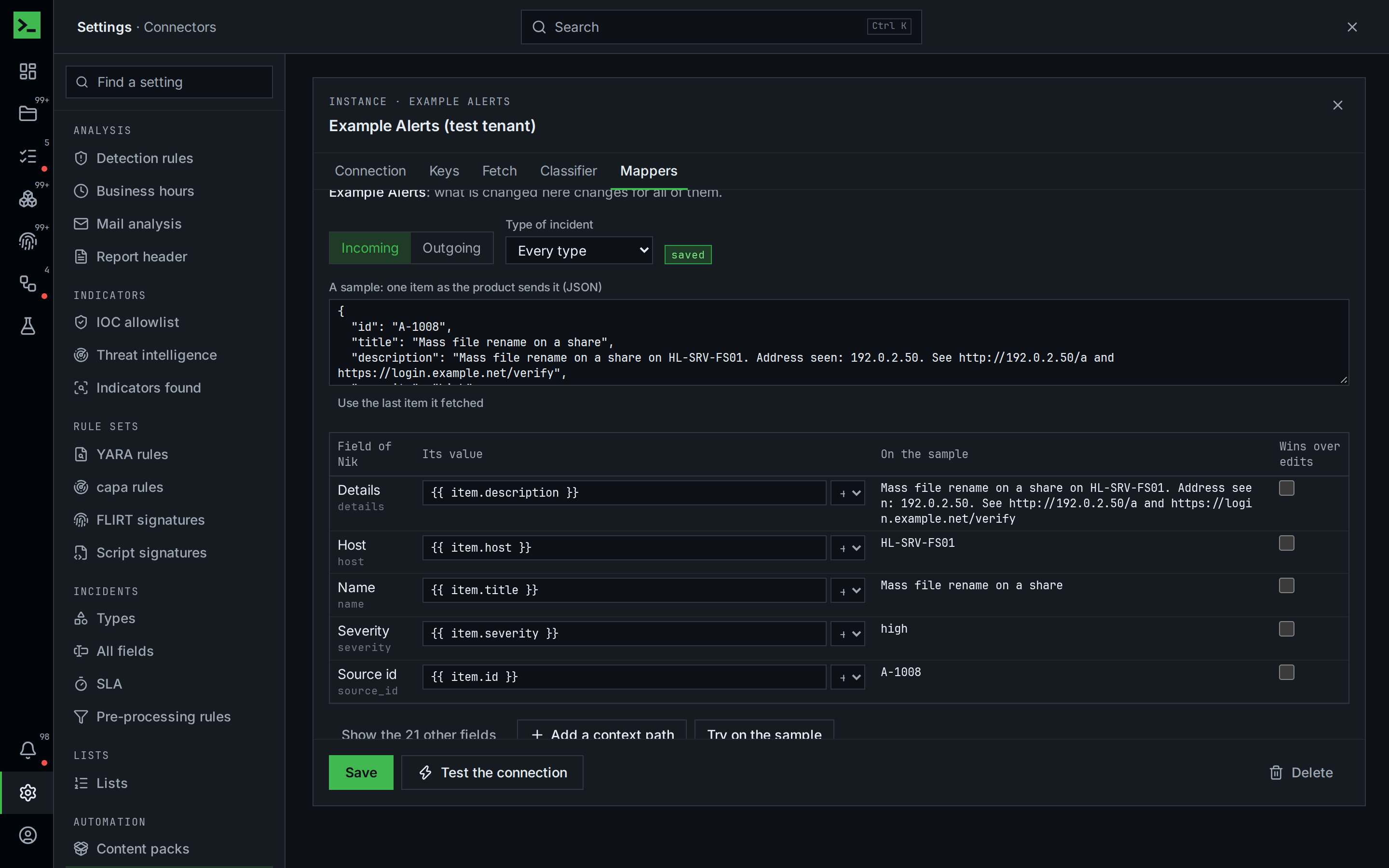
The mappers belong to the connector: every instance of it uses the same ones. Changes are kept across tabs until Save; Put back what is saved gives them up.
Mirroring
Mirroring keeps an incident in step with one object of another product: a ticket, an issue, a threat. Every connector Nik ships that fetches also mirrors.
| Direction | What happens |
|---|---|
| None | Each item becomes an incident, and that is all |
| In | What changes on the other side comes here. Nothing is sent |
| Out | What changes here is sent to the other side. Nothing is read |
| In-out | Each side follows the other |
Choose it in the instance
- Open the instance, tab Fetch, part Mirroring.
- Choose None, In, Out or In-out. Each choice says what it does with this connector; one that cannot be chosen says why (a connector with no command that writes cannot go out; a mailbox is only ever read).
- Tick the classes of data its mirrors may send, beyond those that always may (hashes, public indicators, verdicts, Nik's own ids).
- Press Save. The incidents fetched from then on start mirrored that way.
A new instance says None: nothing changes until someone chooses.
Apply it to open incidents
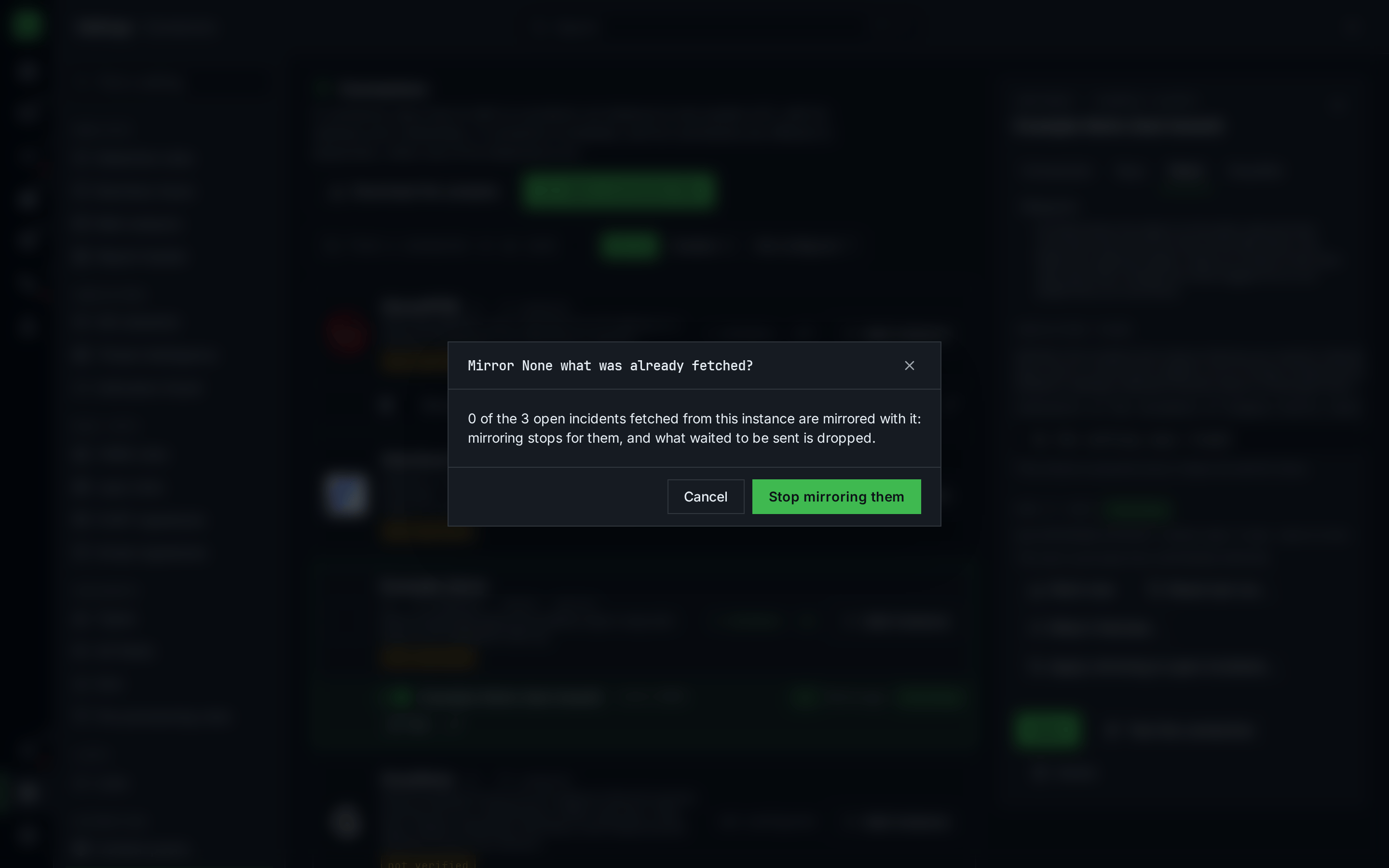
Saving changes nothing for incidents already there. Apply mirroring to open incidents…, in the same part, counts the open incidents the instance fetched and, once confirmed, gives them the saved direction. None stops their mirrors. An incident someone mirrored with another instance is left alone. It is in the audit log with the counts.
On one incident
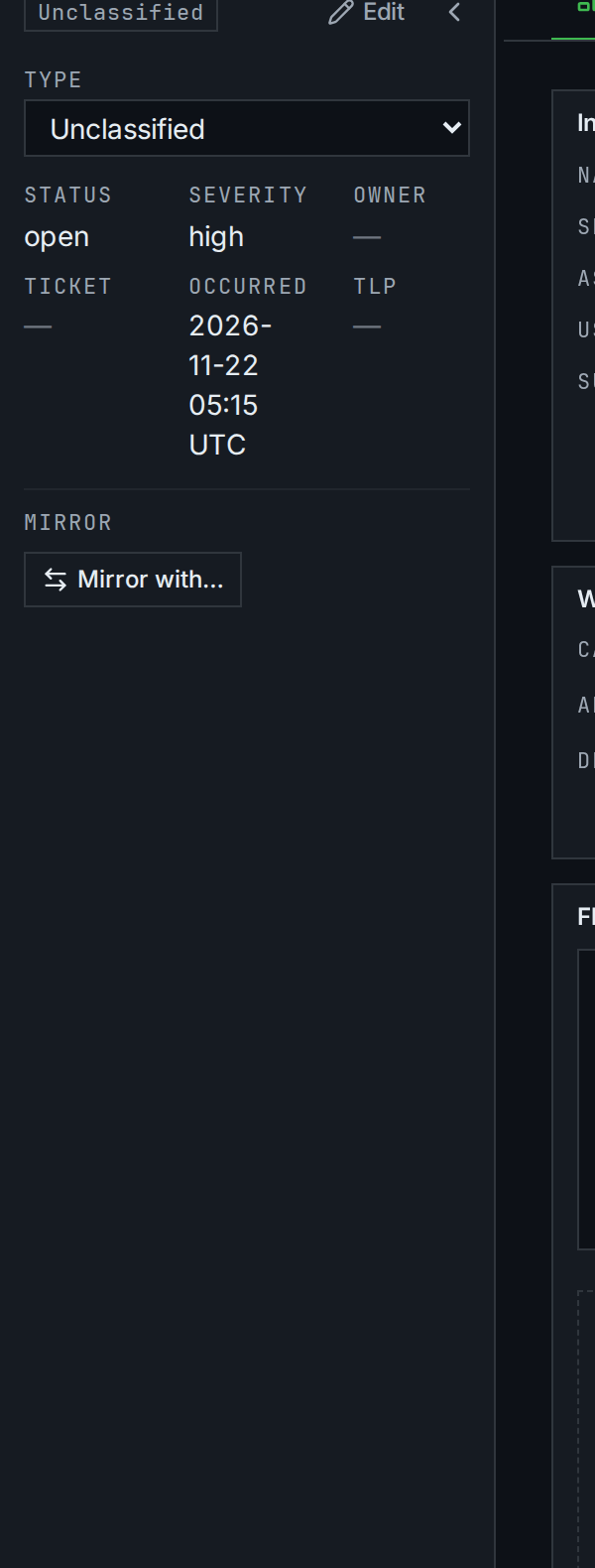
The Mirror panel beside the tabs of an incident shows the direction, where it came from (from the instance, from the mapper, set here), when the other side was last read and written, and the last problem.
- Change the direction for this incident alone.
- Mirror with… starts a mirror by hand: the instance, the id of the object there, and which way.
- Read now reads the other side at once.
- A note tagged
mirroris sent as a comment.
How In and Out work
- In: the worker reads the object at the connector's interval; the incoming mapper turns it into fields. A field a person set is kept unless the mapper marks it Wins over edits. New comments become War Room notes, signed by who wrote them there. For SentinelOne, a closed incident takes as close notes the last note a person wrote on the threat; the instance field Note authors that are automations (Hyperautomation by default) says whose notes are skipped. A closed incident is read for a day more. An object deleted on the other side is said once, then read no more until Read now.
- Out: when a field the outgoing mapper reads changes, the incident is sent. Sending goes through a queue; a failure is tried again eight times and listed under Mirroring: what waits to be sent, with Send again.
- Starting a mirror that sends is a standing permission, in the War Room and the audit log. What is sent passes the data guard. A loop is not possible: what the mirror's own connector wrote is never sent back.
- An incoming mapper that sets both
mirror_idandmirror_directionstarts the mirror itself, whatever the instance says. No shipped mapper does.
What each shipped connector mirrors
| Connector | In | Out |
|---|---|---|
| ServiceNow, Jira Cloud, Jira Data Center | The fields of the ticket or issue, and its comments | The fields the outgoing mapper writes, and notes as comments |
| SentinelOne EDR | The threat by its id: incident status → status, analyst verdict → close reason; its notes | Status and close reason as verdict, in one request; notes as notes of the threat |
| SentinelOne SIEM | The alert (get-alert): status; FALSE_POSITIVE closes the incident |
The status (update-alert). No notes |
| Mail listener / sender | A reply to a message an incident was made from becomes a War Room line and evidence | Nothing, ever |
Updating Jira and ServiceNow packs
Up to their packs 1.1.0 their incoming mappers said in. When an update replaces such a mapper, every instance whose Mirroring is None is set to In in the same step (audit: mirror.kept). See Content packs.
The connectors of the packs
Each was written from what the vendor publishes and tested against recorded answers, not a real system: each is not verified. Test the instance and try each command in a dry run, then on something harmless.
| Connector | Signs in with | Fetches |
|---|---|---|
| Check Point Firewall | A user and a password, or an API key | — |
| Check Point Harmony SASE | An API key | — |
| Zscaler Internet Access | A user, a password and the API key | — |
| SentinelOne EDR | An API token | Threats created since the last cycle |
| SentinelOne SIEM | An API token | Alerts detected since the last cycle, 100 a cycle |
| ServiceNow | A user and a password | Incidents opened since the last cycle |
| Jira Cloud · Data Center | An e-mail and an API token · a personal access token | Issues a JQL filter finds |
| Confluence Cloud · Data Center | An e-mail and an API token · a personal access token | — |
| Bitbucket Cloud · Data Center | An e-mail and an API token · an HTTP access token | — |
Threat-intelligence sources (VirusTotal, AbuseIPDB, urlscan.io…) are connectors too: see Threat intelligence.
Before turning a fetch on
- Jira compares times in JQL to the minute, in the time zone of the account that signs in: with an account outside UTC the first cycle starts some hours off.
- ServiceNow reads comments from
sys_journal_field: the account needs a role that may read it. - SentinelOne SIEM asks for alerts detected since five minutes before the last cycle and reads 100: with more between two cycles, some are not read.
- None of the shipped mappers chooses the type of incident: add a classifier, or the default type is used.
The Mail listener / sender
One instance is one mailbox: an IMAP server to read, an SMTP server to send through, one user name and password for both. Either half may be left empty.
- Fetching turns each message of the watched folder into an incident, and keeps the message as its evidence, analysed as an uploaded
.eml. - Commands:
send,reply,forward(plain text, 50 recipients at most; each recipient's domain must be a host the playbook may reach),search,get-message,list-folders,get-attachments(keeps attachments as files),move,mark-read,mark-unread,delete. - Mirroring In: a reply to a message an incident was made from (by
In-Reply-To/References, never by subject) becomes a War Room line of that incident. Out and In-out are not offered.