Links
Check a link from an e-mail or a chat: the isolated browser visits it for you and Nik says whether it looks like phishing, and why.
What a visit does
The isolated browser runs on the server, with access to the internet but never to your own network. It types, clicks and submits nothing. The site sees a visit from the server's address.
Scan an address
Any of these starts a scan:
- Evidence › URL Analysis: type the address in Address to scan and press Scan.
- New analysis in the Artifacts panel: or an address to scan, then Scan address (no incident).
- Paste the address on the app (Ctrl+V) and choose Analyse URL. See Paste or drag text.
- Right-click a URL or a domain anywhere: Analyse URL.
- Select addresses on the Indicators page: Analyse the addresses…. See The Indicators page.
Defanged text works: hxxps://payroll-harbourline[.]example[.]net. A domain is visited as https://<domain>/. An address already scanned is recognised and not visited twice: Re-scan visits it again.
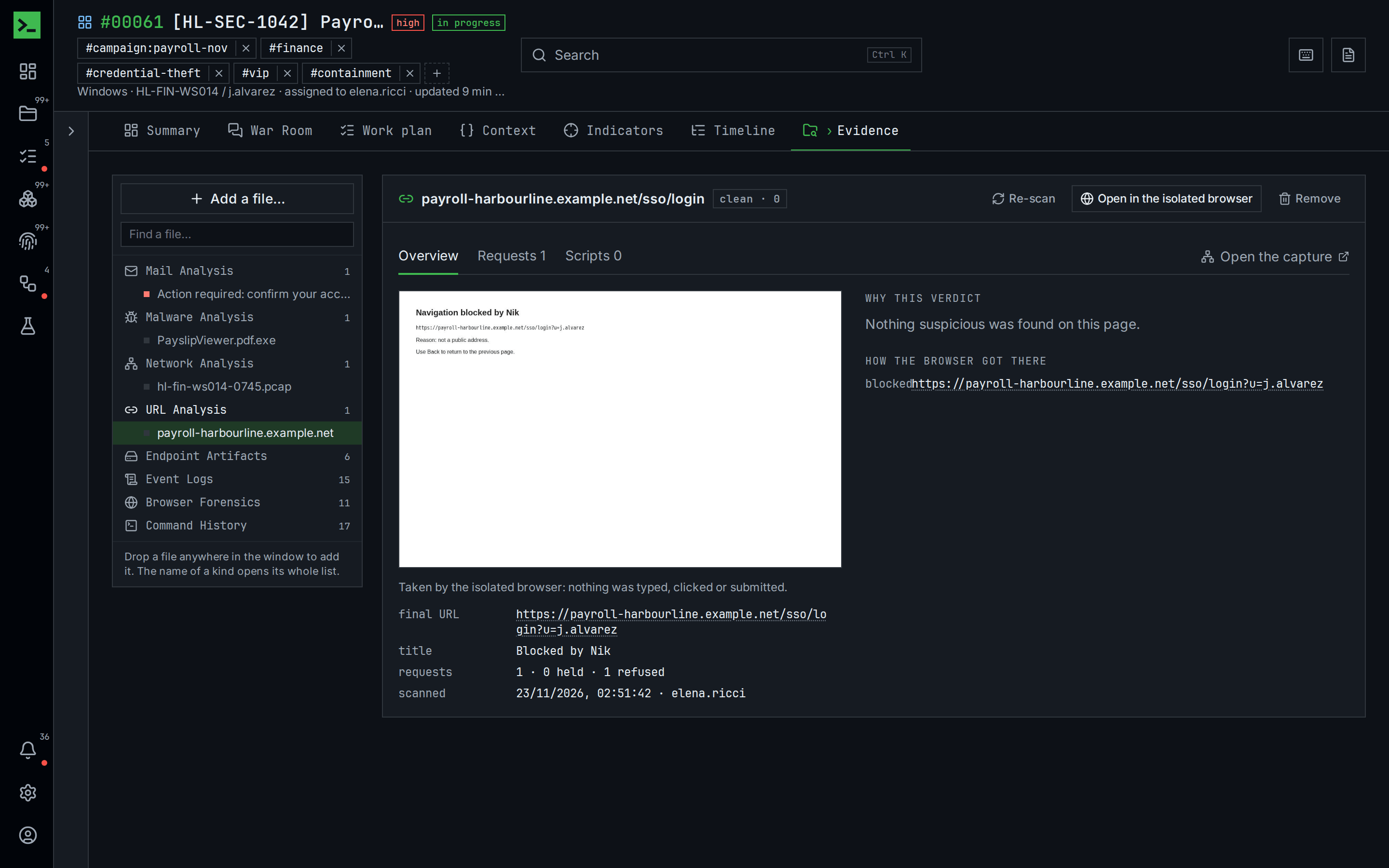
The address shows scanning… while the browser visits it, then its verdict and score. The picture comes from an isolated test stack: the visit was blocked as not a public address, so it shows no phishing verdict, forms or redirects. A real look-alike page fills the parts below.
What you get
Overview:
- The screenshot of the page, taken by the isolated browser.
- The facts: final URL, title, server (its address), certificate (issuer, issued when), requests (how many, held, refused), scanned (when, by whom).
- WHY THIS VERDICT: each finding with its points.
- HOW THE BROWSER GOT THERE: every redirect, shorteners included.
- FORMS ON THE PAGE: each form, where it sends, and asks for a password when it does.
Requests lists the requests of the visit, and Open the capture opens them as a capture in Network Analysis.
Scripts shows the scripts of the page. See Scripts.
The verdict
Findings weigh points, as in Mail Analysis.
| Score | Verdict |
|---|---|
| 70 or more | phishing |
| 40 to 69 | suspicious |
| less than 40 | clean |
What counts:
- the address: a look-alike of a brand, punycode, an
@in the address, an IP address as host, a throwaway top-level domain, a shortener, a page hosted on a cloud service; - a page that asks for a password outside the brand's own domains (worse over plain http, or under a brand's name in its title);
- a form that sends what is typed to another domain;
- a chain of redirects through three domains or more;
- a certificate issued less than seven days ago;
- a download the page started;
- what the scripts do.
An address that could not be visited says not visited, with the reason.
Scripts
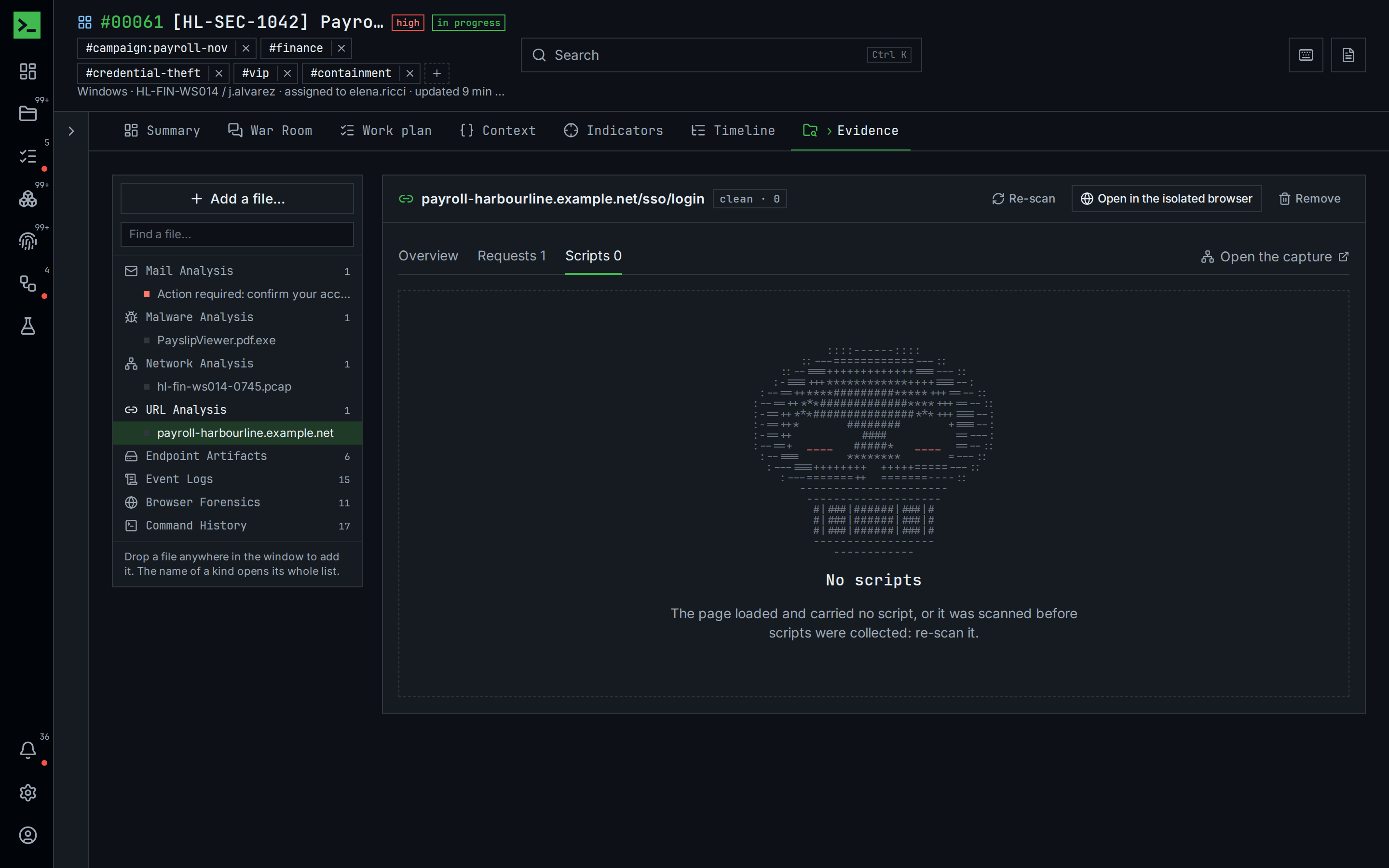
The scripts the page loaded and those written in it, read as text, never run, each checked against Nik's signatures. A page with none says No scripts, as in the picture.
- The list is sorted worst first.
- Select a script: what was found (credentials sent to a Telegram bot, a password field read and sent out, a keylogger, obfuscation, a miner…), with Show in the code to jump to the match.
- A well-known library says Recognised as ….
- Beautified lays minified code out a line per statement (only white space changes). Copy the code, or download it in a zip, password
infected.
What the scripts do counts in the verdict, and the addresses they talk to join the incident's indicators (not those of a recognised library). A script is kept up to its first 300,000 characters.
Script signatures
The signatures are in Platform settings › Rule sets › Script signatures (the rules role, or an admin): a regular expression, a severity, and its points. Changes apply to scans made from then on: Re-scan an address to read it again.
Look by hand
Open in the isolated browser opens the page in a window you drive. Choose No network or Allow internet for this session first. See The isolated browser window.
The isolated browser window
The window is the same as for e-mail attachments: see The isolated browser window for its toolbar, its network choice, held submissions, tabs and full screen.
- The page is drawn at the size of the space it has: a large monitor shows a large page.
- A window the page opens (a sign-in pop-up, a new tab) appears as a tab above the page. When a pop-up closes itself, you are back on the page that opened it.
- Downloads are refused and reported; alerts and permission prompts are dismissed.
Warning
Never type real credentials in a phishing page, even with network allowed.
Act on an address
| Action | Where |
|---|---|
| Re-scan | The head of the address: visits it again and replaces the result. |
| Remove | Takes the address out of this incident; it stays as an artifact. |
| Scan again, Open as an artifact, Remove from the incident | Right-click the address in the list. |
The address, the hosts it led to and the server's address join the incident's Indicators; the scan joins its timeline and report. Nik's own verdict also counts in the reputation of the indicator, as the source Nik's analysis, when it flags the value.
Related
- Add evidence
- E-mail, where most links come from
- Network capture
- The Indicators page
- How URL analysis works