Detection and rules
Tune what Nik flags in the evidence: keyword rules, business hours, mail analysis, the report header, and your own YARA, capa, FLIRT and script rules.
You need
| Section | To see | To change |
|---|---|---|
| Detection rules, Business hours | Any account | Analyst (or Admin) |
| Mail analysis, Report header | Admin | Admin |
| YARA rules, capa rules, FLIRT signatures, Script signatures | Rules (or Admin) | Rules (or Admin) |
All are under Platform settings. Type in Find a setting to narrow the sections by name or by what they hold.
Detection rules
Platform settings › Analysis › Detection rules.
Your keyword rules are regular expressions matched, case-insensitive, against browser URLs and titles, downloaded file names, shell commands and endpoint artifact paths. A match marks the event.
- Under Add a rule, write a Label (
RAT/C2), a Pattern (regex) (cobalt\s?strike|meterpreter), and a Severity: Suspicious or High. - Press Add. An invalid regular expression is refused.
- Use
\baround short words:\btor\b, ortormatches history.
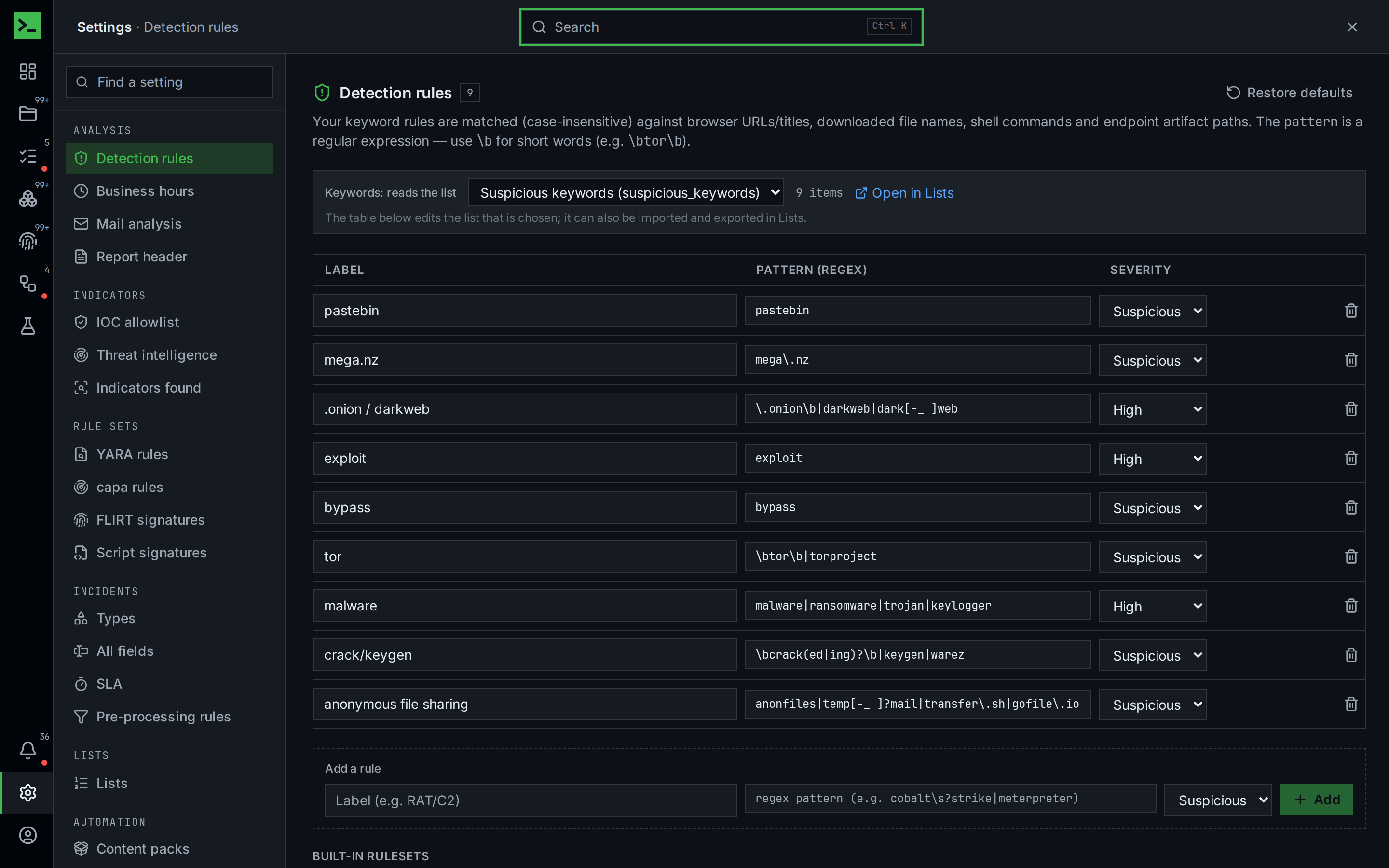
- Restore defaults puts back the keywords Nik ships.
- The keywords are a list: Keywords says which list is read, and the list can be imported and exported in Lists.
- Built-in rulesets run in addition and are read-only: Command-line tradecraft (shell and PowerShell), Endpoint artifact tradecraft (execution, persistence, file access, USB), Windows event logs, Malware sample tradecraft (strings and indicators of samples).
Business hours
Platform settings › Analysis › Business hours.
- Choose From and to (whole hours).
- Tick Also flag weekends to treat Saturday and Sunday as outside hours.
Events (visits, downloads, commands, endpoint artifacts) outside this window are highlighted as a time anomaly on every tab and on the timeline. SLA timers that count business hours read the same hours, in UTC.
Mail analysis
Platform settings › Analysis › Mail analysis (Admin).
| Field | Effect |
|---|---|
| Your organisation's domains | Messages claiming to come from them must pass authentication; look-alike domains are flagged. A name under one is an internal name to the data guard. A domain covers its subdomains. |
| Your mail servers and gateways | Only Authentication-Results headers written by these hosts are trusted (protection.outlook.com, mx.google.com…). |
Changes apply to messages analysed from now on: Re-analyse a message to apply them to it. Both are lists, editable in Lists. See E-mail.
Report header
Platform settings › Analysis › Report header (Admin).
- Type the Organisation name (
ACME Security Operations Center). - Choose an image for the Logo: PNG, JPEG or SVG, up to 256 KB, shown on a white page.
- Press Save.
Every incident report (HTML and PDF) carries them, for every analyst. See Reports and exports.
Rule sets
New rules apply to what is analysed from then on. Use Re-analyse (or Analyse again for an address) on what came before.
YARA rules
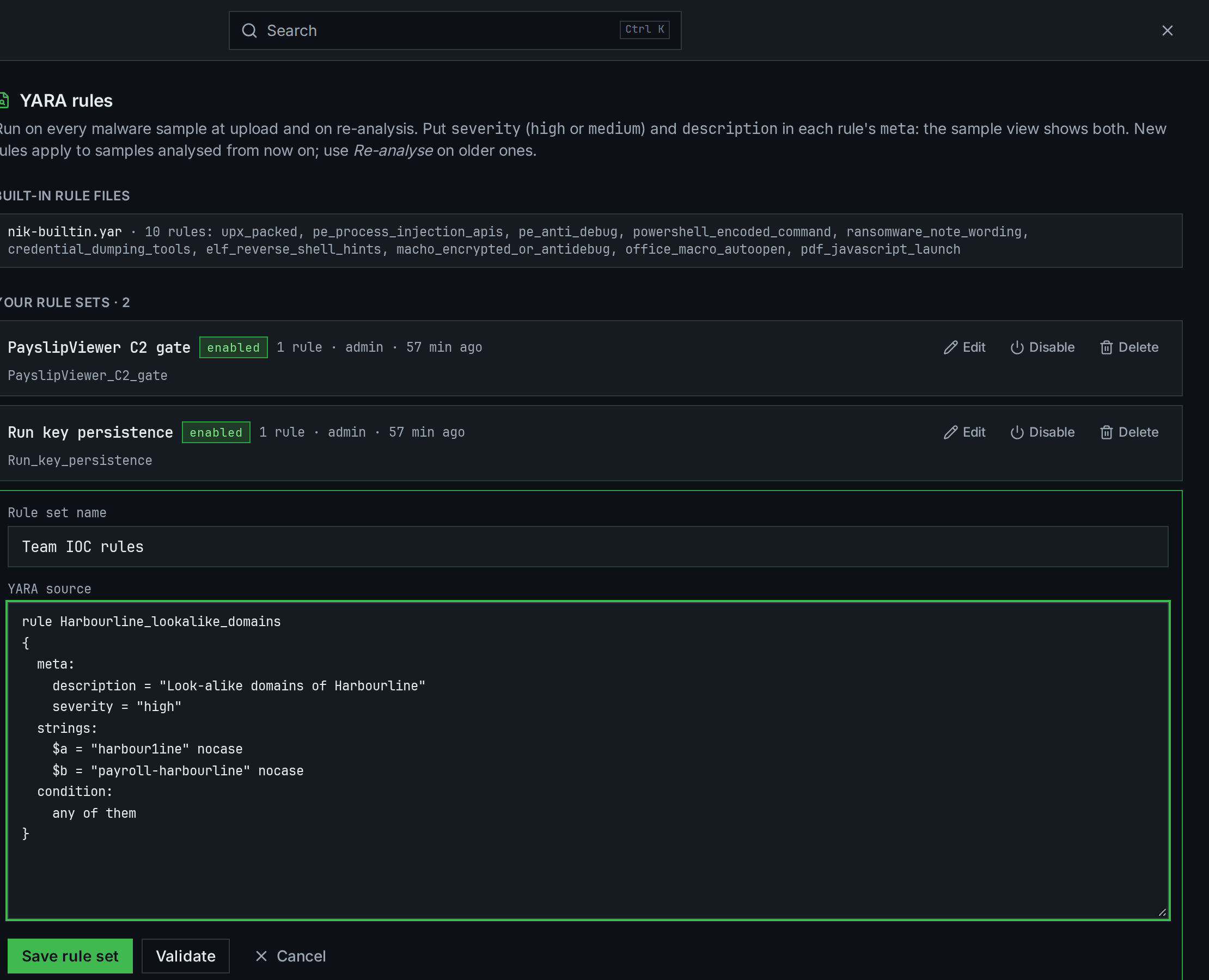
Platform settings › Rule sets › YARA rules. They run on every sample at upload and on re-analysis, beside the built-in rule files (listed under Built-in rule files).
- Press Add rule set. Give a Rule set name (
Team IOC rules). - Paste the YARA source. Put
severity(highormedium) anddescriptionin each rule'smeta: the sample view shows both. - Press Validate: the rules are compiled before they are saved.
capa rules
Platform settings › Rule sets › capa rules. Your rules are matched with capa's bundled set.
- Press Add rule and paste a capa rule (YAML).
- Press Validate: the capa worker checks it before it is saved.
FLIRT signatures
Platform settings › Rule sets › FLIRT signatures. Library code the analyzer recognises is hidden by default in a sample's Code view. rizin ships signatures for common C runtimes; add yours for other libraries.
- Give a Name (
tokio 1.38 (rustc 1.79, x86_64-pc-windows-msvc)). - Choose the Signature file (.sig or .pat, up to 32 MB).
Re-analyse samples already disassembled to apply them. See Malware.
Script signatures
Platform settings › Rule sets › Script signatures. What the scripts of a scanned page are checked against in URL Analysis › Scripts.
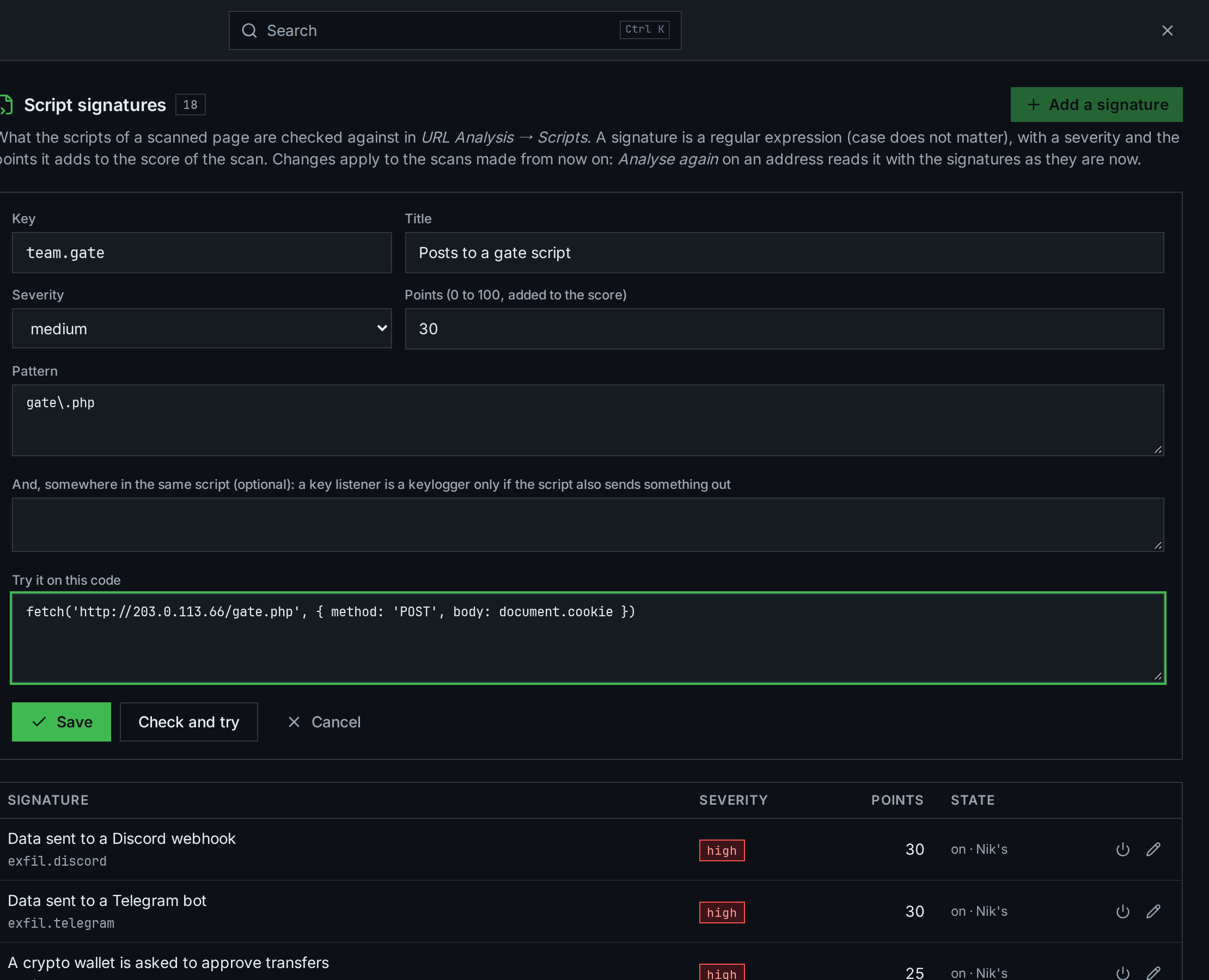
- Press Add a signature.
- Fill Key (
team.gate), Title, Severity (high, medium, low) and Points (0 to 100, added to the score). - Write the Pattern: a regular expression, case does not matter. Optionally, And, somewhere in the same script: a second pattern that must also be found (a key listener is a keylogger only if the script also sends something out).
- Paste code in Try it on this code to see it match, then Save.
- A pattern is tried on long texts before it is saved, so it cannot stall a scan.
- A signature Nik ships can be turned off, changed, and put back with Restore.
See Links.